A private free messenger Zangi, no AI no phone number required
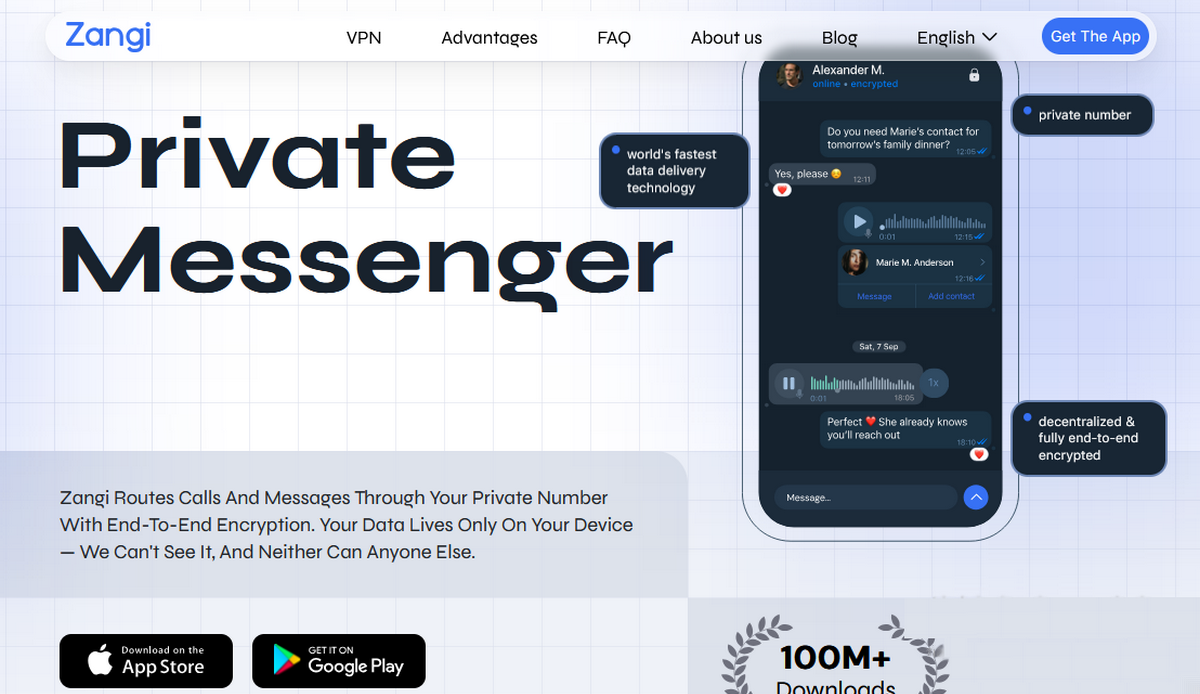
Zangi is a private messaging app—an alternative to Viber, WhatsApp, Signal, and Telegram. It works without AI, without registration, without a SIM card, and without a phone number. It supports text and media messages, video calls, and voice calls. Your profile is visible only to those who know your Zangi number.
What and How About the Zangi App
Recently, Viber surprised and disappointed me—and us—with its invasive move. On behalf of the community, I was immediately tasked with finding an alternative. So I downloaded and tried Zangi; a free, private messaging app (developer: Secret Phone, Inc.). It doesn’t even require a phone number (no SIM card needed), doesn’t need to be verified via email, and there’s no registration—instead, you get a private Zangi number that you share only with those you want to communicate with.
All messages, calls, and files are encrypted with 3-level end-to-end encryption (AES-GCM 256), and chat history is stored exclusively on the device where the app is installed—not on servers, as is the practice with alternative and AI-infested similar apps.
- Viber has brutally invaded our privacy and inserted ChatGPT into the app without users’ consent
- Viber added ChatGPT to its messenger, which cannot be turned off or removed from the app
The architecture is decentralized (P2P), meaning there is no central server—which is bad news for hackers and good news for users.
Features and User Experience
Zangi supports and enables:
- private text messages,
- voice and video calls,
- group calls,
- file transfers.
The app works even on weak connections and offline via Bluetooth/Wi-Fi Direct.
VPN tunneling is also available.
How to Install and Where to Download the Zangi App
I downloaded the app from the Google Play Store. However, you can download it without a Google login or account via APKPure.
So:
- download,
- install,
- open app, and
- save your Zangi phone number
Warning: If you switch devices, your Zangi number will be lost forever unless you have saved the password you set during initial activation. Only with this password can you set up Zangi on a new device with your old number. It’s not possible to reset a forgotten password.
As Zangi says: “Secure. No traces. Simple!”
Encryption and Security of Zangi Communications
The app claims to use end-to-end encryption with the AES-GCM 256 algorithm. According to the developer, messages and files are stored only on the user’s device, and no personal data is collected. (more on security)
Zangi Does Not Have Built-in AI
Zangi does not have AI monitoring built into the app that would lurk in chats, as with Viber, or hide in the background, as with Meta WhatsApp.
This is a huge plus for people who value their privacy.
Frequently Asked Questions (FAQ)
Is Zangi free?
Yes, Zangi is completely free and will remain so. There are no hidden fees or in-app purchases; it only uses your internet plan (Wi-Fi or mobile data).
How do I sign up if I don’t want to provide a phone number?
Zangi doesn’t require a SIM card, phone number, or email address.
When you sign up, you’ll receive a unique 10-digit Zangi number that you share only with the people you want to communicate with.
Who can see you and how can they find you?
No one can see or find you unless they know your exact Zangi number.
How secure is Zangi, and where are my conversations stored?
Given that all messages, calls, and files are encrypted with 3-level end-to-end encryption (AES-GCM 256), I can say that it’s secure.
Where is the chat history stored, and is the content kept on external servers?
Chat history and media are stored exclusively on the device I’m using—Zangi doesn’t have a central server that stores content, so there’s nothing that can be extracted or forced to be disclosed.
On which devices does Zangi work?
Zangi is available for Android (Google Play) and iOS (App Store, iOS 15+).
It also supports a desktop version. It works on all types of connections, from 2G/EDGE to Wi-Fi and satellite networks, with a special Low Data Usage mode for weak connections (up to 7 minutes of calls per 1 MB).
Can I import my contacts from WhatsApp or Viber?
Not directly — Zangi does not access your contacts in other apps. You invite and add contacts manually: via SMS (for phone numbers), email, or by sharing your Zangi number. In the app, under “Contacts,” you can see which of your phone contacts already have Zangi.
I have a question that isn’t listed here—where can I find the answer?
For all other questions, you can contact me or check the Zangi FAQ for details.